Showing posts with label player. Show all posts

iSense Music - 3D Music Player v1.007 APK


iSense Music is music player with a cool 3D user interface!


iSense Music - 3D Music Player v1.007
Experience a stylish way of browsing your music with 3D floating album arts.

iSense Music is a 3D Music Player like iPhone Music Player, Sense Music Player, Google Play Music, iPod Music Player, Coverflow Music Player etc but differs from all of them a lot.

Features:
  • Supports 3D themes, 4 themes preinstalled, more themes released, check my other apps at https://play.google.com/store/apps/developer?id=SmoothApps
  • Fast Scroll feature to quickly scroll through floating album arts.
  • Supports beautiful user interface skins.
  • Browse and play your music by albums, artists, folders, playlists, genres, songs, more advanced browsing like albums of particular artist & genre, and albums sorted by artist names.
  • Equalizer for Android 2.3+ ( working for all devices except a few, where system denies equalizer permissions ).
  • Stylish Lockscreen with a 3D widget and slide to unlock feature.
  • ID3 Tag Editor for editing single/multiple songs’ information
  • Star Rating Feature(rate all songs in the list at once)
  • Swipe Gestures on Lockscreen Thumbnail(Swipe - Next & Prev, Tap - Pause/Play )
  • Drag enabled menu.
  • Different playlist sorting algorithm better than any used(from what I have seen) in any android application.
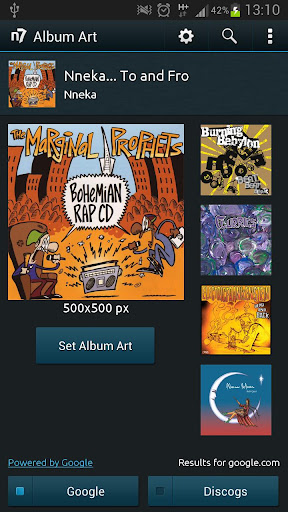
  • Supports Album Art Utility App as Add-On which allows you to manually pick your preferred album artwork for not only your albums but also for your artists, folders, playlists, genres and songs, from the Internet, the Gallery app and Existing album arts.
  • Many other features you will find out.
Note: On first launch of iSense Music the album art caching process will start and will take some time to finish(depends on number of albums on device).

3D Carousel Guide:
  • Touch on center most album art to open song list.
  • Long press on center most album art to open options.
  • Touch any album art to scroll it to the center.
  • Swipe left-right to scroll through the carousel.
  • Touch and swipe left-right on Fastscroll bar to quickly scroll through carousel.
What's in this version : (Updated : Feb 12, 2013)
  • Fixed playback issues and soft application restarts(changed caching process).
  • Tag Editor for editing single/multiple songs’ information
  • Added Star Rating Feature(rate all songs in the list at once)
Required Android O/S : 2.2+

Screenshots :


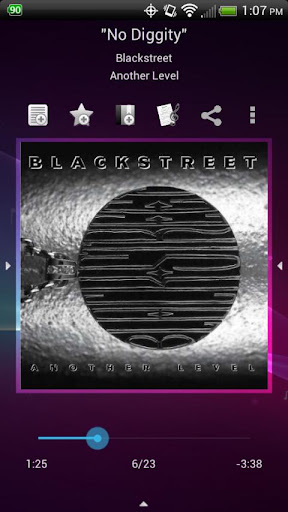
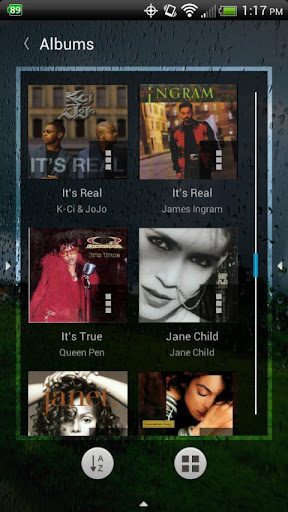
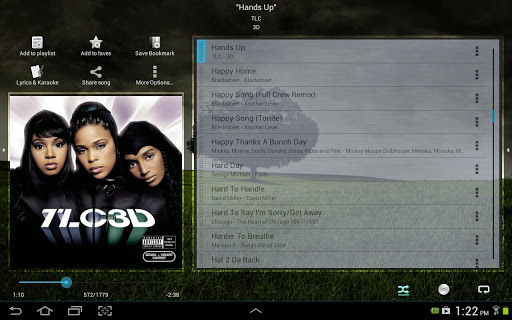
Music Player (Remix) v1.0.2 APK


Music Player (Remix) is an advanced music app with many unique features!


Music Player (Remix)
Music Player (Remix) is an advanced music app for Android designed from the ground up to be powerful, yet user-friendly and fun to use.

The app has a large assortment of features, many of which you won't find in any other music app. 
Features:
  • Large, finger-friendly controls on phones and tablets. Tap the album art to pause/play & skip tracks.
  • While using other apps, swipe from the bottom of the screen to reveal the "mini-player" allowing you to control your music and view/edit your Now Playing list without leaving other apps.
  • Any time you add songs to your device, the app will issue a notification which when tapped will load those songs into a playlist and play them.
  • From anywhere within the app, swipe from the bottom to reveal music controls and the Now Playing list.
  • From anywhere within the app, swipe from the right side to access your music library, search function, help, preferences, and aesthetic options including wallpaper & menu color customization.
  • From anywhere within the app, swipe from the left side of the screen to access your faves (one-touch access to songs/albums/artists), playlists, and autolists (auto-generated playlists based upon your listening habits).
  • 5 customizable quick shortcuts are available on the Now Playing screen. Assign various functions to each one included Add to Playlist, Save bookmark, Lyrics, Share song, View YouTube video, and much more.
  • All screens are optimized for portrait and landscape orientations.
  • The Now Playing screen has been optimized for 7" and 8.9"/10" tablets.
  • All library browsing screens have several display and sorting options.
  • Save bookmarks in a song and visual markers will appear on the scrubber bar. Tap previous/next to jump between bookmarks or use the "View Bookmarks" option to select a bookmark.
  • Any time you play a song, a bookmark is automatically saved when you leave the song. To go back to the previous play position in a song, use the "View Bookmarks" option.
  • Download album art for any song or album. Select from several choices with different image resolutions. Album art is embedded directly in the music files.
  • Download lyrics for a song which are embedded directly in the music file (or optionally saved in an external text file). Pinch/zoom the lyrics to change the font size. Feel like singing along? Use the karaoke feature to record yourself as you view the lyrics.
  • Advanced playlist management including drag/drop song re-ordering & multi-add mode. While in multi-add mode, go to any screen within the app and tap songs/albums/artists/genres/composers to quickly add them to the playlist.
  • When viewing an artist, swipe between the song list, the album list, and the artist's wiki page. Wiki options are also available on the album, genre, and composer info screens.
  • Stylish 4x1 and 4x2 home screen widgets.
  • Various lock screen control options including basic controls (ICS+), advanced mini-player controls (ICS+), or the 4x2 widget (Android 4.2+).
  • Fine-tuned controls for quickly skipping backward and forward by 5, 30, or 60 seconds. Long-tap the pause/play tap area to reveal (or hide) the controls.
  • Gapless playback on Jellybean (or later).
  • And much, much more!!!
What's in this version: (Updated : Dec 26, 2012)
  • (New Feature) Add a configuration option on the Preferences screen to choose the priority of where the album art is retrieved from. By default, the song's album will determine the album art. Deselect the new option to always pull the album art from the individual music file.
  • (Enhancement) Add a refresh button to the Artist and Album Picker autolist popups.
  • (Bug Fix) App would sometimes crash if you re-order an item in a list via drag & drop.
Required Android O/S : 2.3+

Screenshots :


n7player Music Player v2.0.5 APK


Rich Music Experience !


n7player Music Player
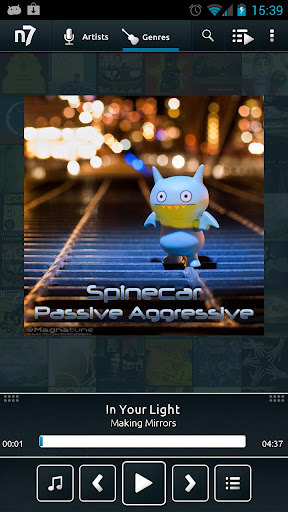
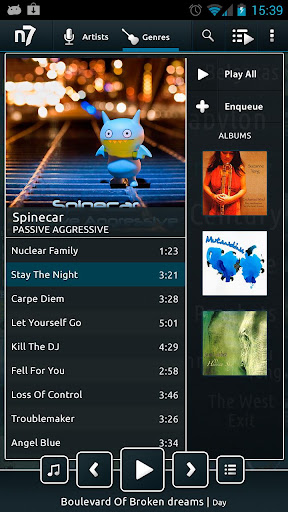
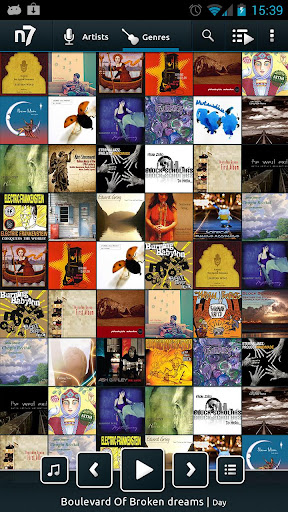
n7player is an innovative 3D mp3 and music player available only on Android. It visualizes your music as a single plane full of album covers. You can zoom in and out using multi-touch to see different views of your music.
The main application screen is like an interactive tag cloud which can be easily explored to find your mp3 files. Artist names transforms smoothly to album covers, when pinched-to-zoomed. The minimalistic design and smooth interface allows users to quickly pick their favorite music from their library.

n7player has also the most advanced cover art downloading function available on the market. It can download the missing album arts both by its own and by easy to use dedicated screen, where the user can search and pick an album art from the internet.

Android 2.3+ is required to use Equalizer & other sound effects.

Reading sensitive log data permission is required only to provide more information in case of application crash when user decides to send log to developers.

This is time limited trial version. n7player Full Version Unlocker is available on Google Play.

Features:
  • Unique user interface, based on OpenGL, consisting of innovative, fully multi-touchable album covers wall
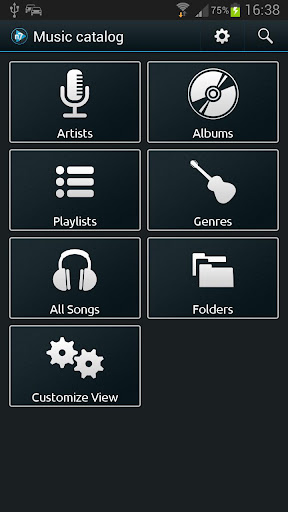
  • Intuitive music catalog showing: albums, artists, genres etc.
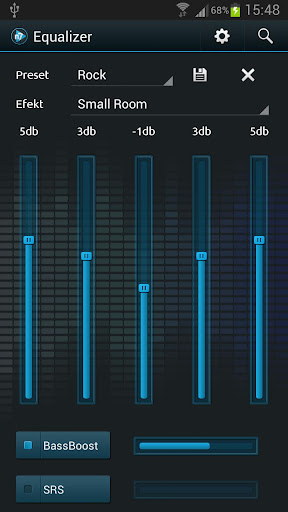
  • 5 band graphic equalizer with presets, environmental effects, bass boost and sound virtualization technology (SRS/Dolby Surround) – requires Android 2.3 or higher
  • Supported audio formats are: mp3, mp4, m4a, m4p, ogg, wma, wav, aac, 3gp, mid, xmf, ogg, mkv(4.0+), 
  • Easy to use automatic and manual album art and artist image downloader for your music
  • Tags editor for all supported audio formats (mp3 – both id3v1(.1) and id3v2(.4))
  • Configurable directory filters and powerful file browser for browsing your SD card
  • Home widgets, of two sizes – 1x4 and 2x4. Medium widget features repeat and shuffle buttons. More widgets will be added in upcoming releases
  • Lockscreen widget with direct unlock option
  • Sleep timer 
  • Shuffle/repeat options for better control of your music playback
What's in this version : (Updated : Dec 6, 2012)
  • The player’s look and functionalities had been rethinked and redesigned. New features include:
  • Added genre mode to the album plane
  • Modified current queue with lots of new options
  • Custom EQ presets
  • ICS style Lockscreen & Action Bar
  • Better support for compilations ("Merge album by name")
  • Delete option
  • Embedded album-arts support
  • Better internal & external media support
  • Tagger is now using TagLib – fast, efficient and memory safe tagging library.
Required Android O/S : 2.2+

Screenshots :


TuneWiki Pro v4.1.0 APK


The Music Player with Synced Lyrics in any language!


TuneWiki Pro
The Music Player with Synced Lyrics in any language
The only music player where you can get, share and talk about lyrics and music.
TuneWiki Pro is the Ad-Free version of TuneWiki's award winning music player!

Features:
  • Listen to any music with synced lyrics
  • Dedicate songs to people
  • Share lyrics from your favorite songs with your network of friends
  • Get lyrics instantly translated into 40+ languages
  • What does that song mean? Comment on and discuss the meaning of lyrics and songs
  • Free, unlimited SongID with synced lyrics
  • Discover new music in your SongBox – songs that are being played and recommended by your friends
  • Explore Song Maps and real-time Top Charts to discover popular songs nearby and around the world
  • Create, manage, and edit playlists
  • View and edit detailed tag info for artists, albums and songs
  • Supports installation to SD card. Please note that due to restrictions within the Android OS, the widget will be disabled when the app is on the SD card.
What's in this version : (Updated : Dec 5, 2012)
  • INTRODUCING Lyric Art. Create & share images using lyrics from your favorite songs.
  • Community Design Change - Adjusted some visuals in the community page.
  • Refreshed Settings - We simplified how to adjust your settings.
  • Bug Squashing.
  • As always, please contact us on Twitter (@tunewiki) or Facebook. See some Lyric Art on tunewiki.com to check it out.
Required Android O/S : 2.1+

Screenshots :


Rocket Music Player Premium v1.5.1 APK


A Player for Music Lovers!


Rocket Music Player Premium
A Player for Music Lovers.
Rocket Player Premium Unlocker was designed with both the easy and advanced listener in mind. The Premium Unlocker unlocks advanced features built on top of the easy to use interface of the free Rocket Player.

Premium Features:
  • Album art downloading
  • 10 band graphic equalizer
  • Assign an equalizer preset to a song, genre, playlist, artist, album, or podcast
  • Preamp
  • Right/Left balance control
  • Gapless playback
  • Crossfading
  • Play Apple Lossless (ALAC)
  • Albums marked gapless in iTunes will play gapless when used with iSyncr
  • Start/stop time from iTunes is used when used with iSyncr
In the works:
  • Folder view
  • Tag editing
Features:
  • Browse and play your music by albums, artists, genres, songs, podcasts and playlists
  • Create and edit playlists within the player
  • 5 band graphic equalizer (Android 2.3+)
  • iSyncr Live Lists dynamically update while playing
  • Fade in and out when playing and stopping songs
  • Controllable from the lockscreen
  • Podcast bookmarking
  • 4x1 and 4x2 widget
  • Support for most scrobbling apps
When combined with iSyncr, an app for syncing your iTunes music with your Android device, Rocket Player allows you to:
  • Sync new playlists and playlist changes back to iTunes
  • Sync podcast bookmarks to and from iTunes
  • Sync song ratings to and from iTunes
  • iSyncr Live Lists dynamically update while playing
  • Need help? Visit http://www.jrtstudio.com for quick tips or to contact support.
What's in this version : (Updated : Dec 6, 2012)
  • Bug fixes in video support
  • NEW: Support for videos
  • NEW: Sleep Timer
  • NEW: Support for the WavePack audio format
  • NEW: Option to start playing when bluetooth connects to a device
  • NEW: Video play counts when combined with iSyncr
  • NEW: Add/Remove the tabs you want
Required Android O/S : 2.1+

Screenshots :


Jet Audio Plus v1.7.0 Apk

jetAudio Plus

Description

jetAudio is a music player with Wide/Reverb/X-Bass and 10/20 bands EQ.
jetAudio for Windows is the highest rated and most downloaded media player on CNET.COM and, now you can listen to same high-quality sound on your Android phone using jetAudio.
It plays almost any type of digital music files you have (.wav, .mp3, .ogg, .flac, .m4a, .mpc, .tta, .wv, .ape, .mod, .spx and more) and, it provides a very high quality sound with various effects and enhancements such as Wide, Reverb, X-Bass.
It comes with 32 equalizer presets that will provide a wide array of listening experience.
For those who would like to customize their own sound experience, it also allows 10/20 bands graphic equalizer and other advanced playback functions including playback speed control, crossfading, AGC and much more.
Basic version provides same features with Plus version except advertisements and some features.
To enjoy full features of jetAudio, please purchase Plus version.
* 20-bands graphic equalizer
* Display lyrics in tag (Unsynchronized lyrics)
* 2 New lock screens
* 6 New app widgets : 4×1 (#2), 4×2 (#1), 4×2 (#2), 3×3, 2×2, 2×3
* Wide, Reverb, X-Bass sound effects
* AGC (automatic gain control) to avoid volume fluctuations between tracks
* Speed control from 0.5x to 2.0x (pitch adjusted)
* Crossfading, Gap-less playback
* Fade-in/Fade-out
* Browser and play music by artits, albums, songs, playlists, genres and folders
* Balance/Volume control
* Sleep timer up to 24 hours
* Flick up to post what you’re listening to on Facebook/Twitter
* Flick down to show Now Playing
* Flick left/right to play next/previous
* Lock screens
* Repeat A<->B
* Headset button control
- press to pause/resume
- double/triple press to play next/prev
- long press to mute or TTS (time, title)
* Multi-select function (Delete/Add to playlist) for folder mode
* Keep screen on, Lock orientation options
* Supporting formats:
MP3, WAV, OGG, FLAC, M4A, MPC, TTA, WV, APE, MOD (module formats S3M, IT), SPX, AIFF

DOWNLOAD

Twitter Delicious Facebook Digg Stumbleupon Favorites More